Give the families you serve a start on their own plan.
Kinstodian works with organizations that meet families at the moment they most need a plan and are least equipped to go shopping for software. You hand a family a code; they get a sponsored year of Kinstodian; you see how the program is doing — never any one family's plan.

A console built around the one line we won't cross.
Enrollment codes you issue yourself.
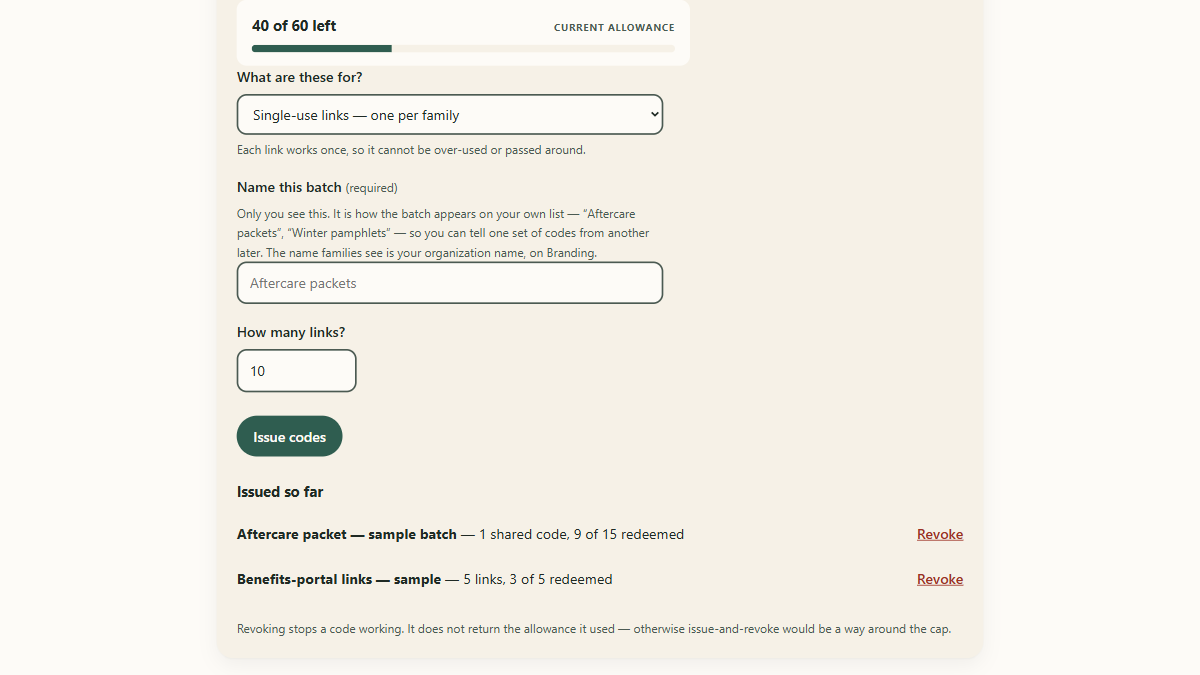
Register your organization in the Partner Console — it takes a business email and a couple of minutes — and issue codes in batches from your own allowance, each batch with a label so you know which packet or event it went to. Codes are twelve characters with the easily-confused ones left out, because they get read over the phone and copied off printed cards.
Each code connects a family's plan to your organization for a sponsored year. You see how many have been issued and how many have been used, and you can revoke a batch that went astray.
A program-health dashboard, in aggregate.
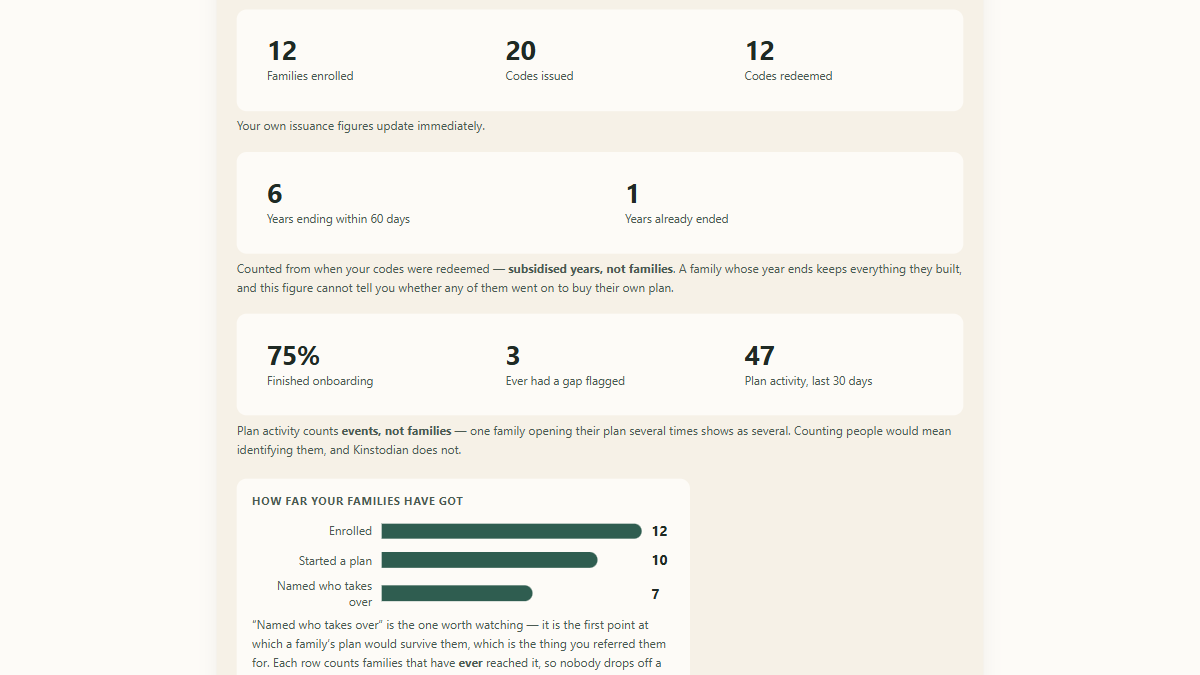
How many codes have been used, how many families have enrolled and finished setting up, and how far the families you've referred have got — as counts, never names. Each readiness band is a fact about a plan, not a score: a plan exists, for a named person, with something real in it; enough bills are priced that the money side works out a figure; a successor and a trusted contact are named, so the plan can outlive its owner; and final wishes are written down with nothing left open.
It also tells you how many sponsored years are ending in the next sixty days, so you can plan the next batch. Family figures appear only once at least five families have enrolled — below that, a count could be a person.
Your name on what a family sees.
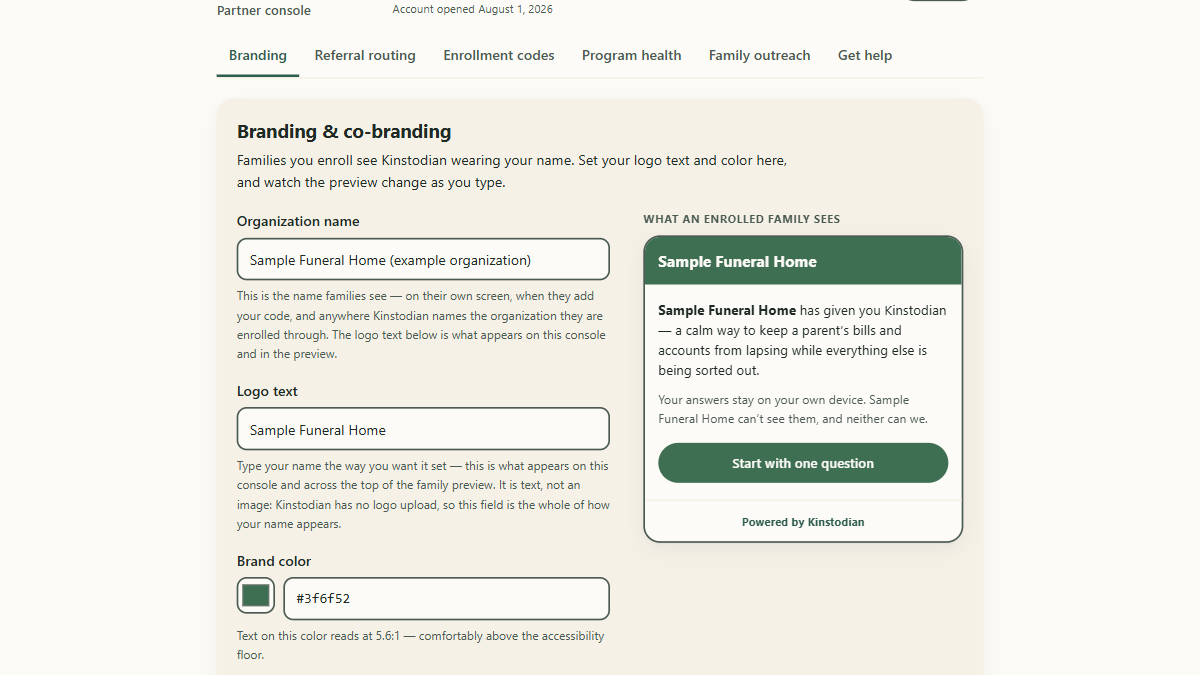
Set your organization's name, logo text, and brand color in the console, and a family who adds your code sees Kinstodian wearing your name on their own screen — with a small "Powered by Kinstodian" that stays on. You can also point the app's legal and grief hand-offs at your own network instead of ours: plain links to people you already trust, never lead capture.
A way to be there, on the family's terms.
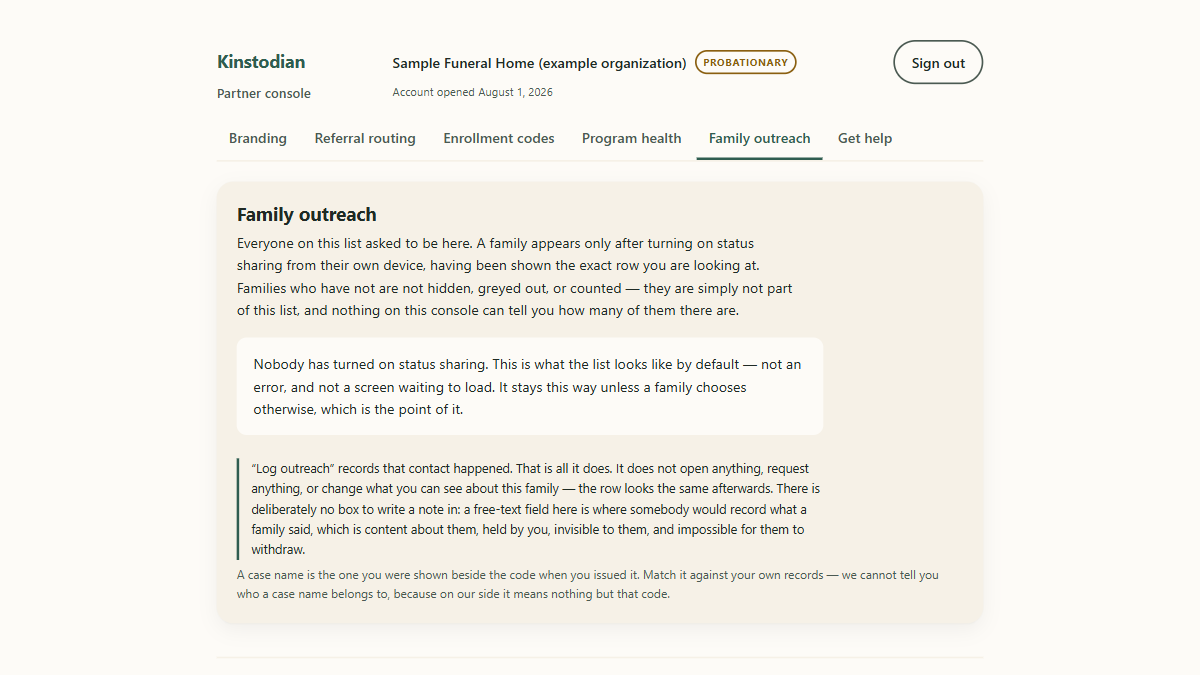
A family who wants you to check in on them can choose to share a one-line status with your organization. Only the families who opted in appear, you see exactly the line they see, and they can turn it off. It's a way to know who would welcome a call — not a list of everyone you've referred.
You see totals. You never see a family's plan.
-
Aggregate counts only
"14 families have finished setting up" — never a list, and no name to click on. A family's plan lives on their device; there is nowhere on your side for one to be stored.
-
No family contact details, by design
The system that runs the partner program holds no family email, phone number, or name — not "we don't show it", but there is no column for it to be in.
-
A selling point for the family
A family reads the same list you're reading. Being able to say "we can't see your plan, and here's why" is part of what you're handing them with the code.
Exactly what a family's device reports, and what it never does

Five steps, and the last one is the point.
-
Request access.
Register in the Partner Console with a business email, or email us and we'll walk you through it. A sign-in link comes by email; there's no password to keep.
-
We verify your organization.
Probationary firstNew partners start with a smaller code allowance and are promoted after a person here has looked at the account. That's a trust feature, not a hurdle: it's what keeps a stranger from signing up and handing out codes in your name. An address at your own domain speeds it up; a personal address gets a quick manual look, not a refusal.
-
You issue codes.
In batches, from your allowance, each with a label. The codes are shown once — they're stored in a form nobody can read back, so copy them when you make them.
-
You hand them to families.
In an aftercare packet, across a desk, or in the post a week later. A family adds the code from inside the app whenever they're ready — the week they start, or long after — and nothing changes for them if they never do.
-
You watch the aggregate. Never the individual.
The dashboard tells you whether the program is helping people. It cannot tell you about a person, and that's what makes it something a family can accept.
The first twenty-five organizations join free for a year.
Founding terms are the whole partner program, at no charge, for one year. Then they end: after that first year, partner organizations pay. We are not naming the figure yet — we have not run the program long enough to name one honestly — and you will know it well before it applies to you.
A founding place is everything above, working today: enrollment codes you issue yourself in labelled batches, the program-health dashboard in aggregate, your organization's name on what a family sees, and the outreach queue for families who chose to share a status. Every code you hand over gives a family a sponsored year of the full product, with nothing asked of them: no card, no account, no email address.
Free is not unlimited. A founding place carries the same allowance as any other partner, and it is a real ceiling: 60 enrollment codes to start, raised to 500 once a person here has reviewed your organization. We would rather you knew the number than found it.
And a free place is not a vetted one. Every partner starts probationary on the smaller allowance, founding or not. That review is what stops a stranger handing out codes in your name, and joining the cohort does not skip it.
Twenty-five places. There is no form and no checkout — email us and a person reads it.
What organizations ask us.
What does a code cost a family?
Nothing. A family is never asked for a card, an email address, or an account to use a code — redeeming one gives them a sponsored year of Kinstodian, and adding yours is what lets you see the program is helping people.
What can we see, and what can't we?
You see counts: codes issued and used, families enrolled, how many finished setting up, how far the group has got, and how many sponsored years are ending soon. You cannot see any family's plan, name, or contact details — the system that runs the partner program has no place to hold them. The one exception is a family who chooses to share a one-line status with you, and they see the exact line you see.
What happens when a family's sponsored year ends?
The family keeps everything they entered, readable and exportable, permanently — that promise doesn't depend on who paid. Your dashboard counts the years that are ending so you can plan your next batch; it doesn't tell you what any one family decided next, because it has no way to know.
Can we email codes to families straight from the console?
No, and on purpose. Sending an email from the console would mean the partner program held a family's email address, and it holds no family contact details at all — that's the design the privacy line rests on. You hand codes to families the way you already talk to them: in person, in a packet, or in the post.
How many codes can we issue?
Each organization has an allowance. New partners start with a smaller one and it's raised once a person here has reviewed the account. If you run out, "Get help" in the console opens an email to us with your account details already filled in, and we can raise it.
Ready to talk, or already enrolled?
Email [email protected] — a person reads it, and there's no form to fill in. Organizations already enrolled can sign in to the Partner Console.